
Why consistent badge photos matter
Good badge photo tips are less about expensive equipment and more about creating a setup you can repeat. A clear face, a plain background, and consistent framing help people recognize the person pictured on an employee badge. When every portrait follows the same approach, new-hire photos also fit naturally alongside those already in use.
Consistency does not mean making everyone look identical. It means keeping the photographic choices steady: where the person stands, where the camera sits, how the face is lit, and how much of the head and shoulders appears. Those choices give each employee a recognizable portrait without distracting differences in shadows, angles, or background.
Practical badge photo tips for repeatable portraits
Think of your photo area as a small, repeatable workstation rather than a temporary arrangement. A smartphone, a plain wall, and soft light can do the job. The goal is to make the next photo session as straightforward as the first, even when you are photographing just one new employee.
Gather a simple photo setup
Start with equipment you can position reliably. A smartphone or tablet is enough, provided it stays steady and can be placed at the subject’s eye level. Choose a plain, matte background so the face remains the main point of attention. Keep the same background available for future sessions rather than choosing a different wall each time.
- A smartphone or tablet for taking the portraits.
- A tripod or stable surface to hold the device steady.
- A plain, matte wall or background.
- Indirect window light or a basic lamp positioned near the camera.
- A floor mark or chair to establish the subject’s position.
Arrange these items together: a plain background behind the person, soft light reaching the face from the front, and space between the person and the wall. Leicestershire County Council’s photo guidance supports these practical setup choices (source). Once the arrangement works, preserve the positions so you can recreate it for the next hire.
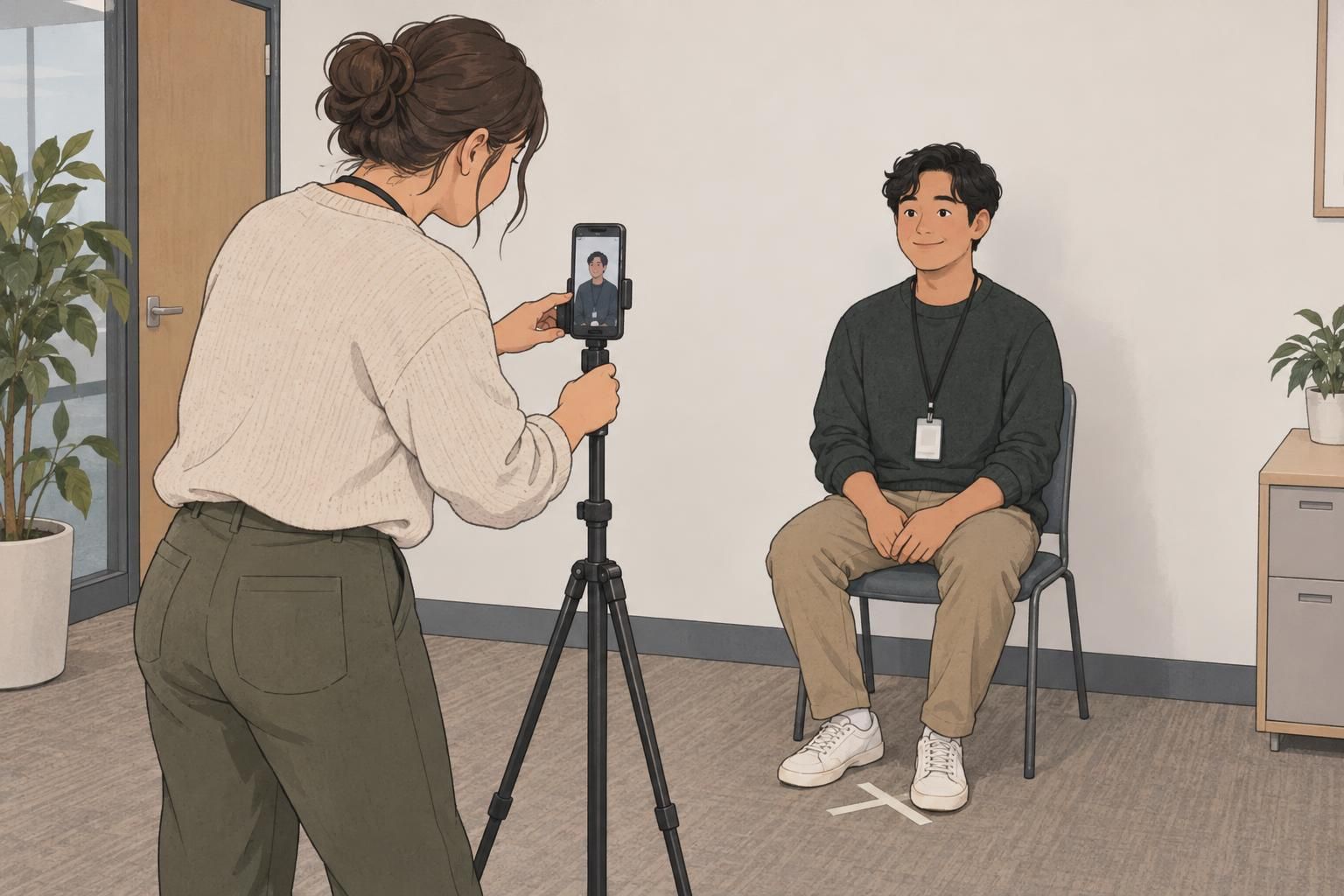
Set up soft ID photo lighting
Good ID photo lighting makes facial features easy to see without strong shadows. Begin with indirect window light falling onto the front of the face. Position the person facing toward that light, with the camera in front of them. Check the face on the screen rather than assuming that a bright room will automatically produce an evenly lit portrait.
If you are using a basic lamp, place it near the camera and slightly to one side. Look for gentle, even illumination across the face. Avoid relying only on overhead lighting, which can leave shadows around the eyes and beneath facial features. Adjust the lamp’s position and take a test photo before starting the session.
Place the subject about half a meter from the background to help reduce wall shadows. Treat that distance as a starting point: if a strong shadow remains, adjust the light or move the person farther forward. For ongoing hires, check the lighting each time, particularly when using a window whose light may differ between sessions.
Keep camera position and framing consistent
Position the camera at the employee’s eye level and keep it straight. Avoid pointing it down from above or up from below. If employees are different heights, adjust the camera height rather than asking everyone to fit a camera position that changes their posture or angle.
Use roughly the same camera-to-subject distance each time, without digital zoom. Frame the full head and shoulders, leaving a little open space around the head for cropping. Check that the top of the head and the shoulders are not already cut off in the original image; a tight original leaves fewer options when preparing the badge photo.
This repeatable setup also works well for an employee headshot. The useful habit is to capture a clear, consistently framed original first, then prepare the final crop for its intended use. Keep the camera position, distance, and framing approach steady instead of trying to correct a different composition for every person afterward.

Use a repeatable workflow for every new hire
The most useful badge photo tips are easy to follow again next week or next month. Mark the camera and subject positions, keep the same background, and recreate the lighting arrangement before each session. If you use a chair, return it to its marked spot rather than estimating its position.
- Set the camera and subject at their marked positions, then adjust the camera to eye level.
- Check that the background is plain and the face receives soft front lighting.
- Ask the employee to look directly at the lens with a relaxed expression.
- Take a few shots while keeping the framing consistent.
- Review focus, exposure, shadows, and framing before the employee leaves.
Reviewing immediately is part of the workflow, not an optional final step. Look closely enough to confirm that facial details are sharp and that neither bright areas nor deep shadows make them difficult to see. If something is wrong, make a small adjustment and retake the photo while the person is still in place.
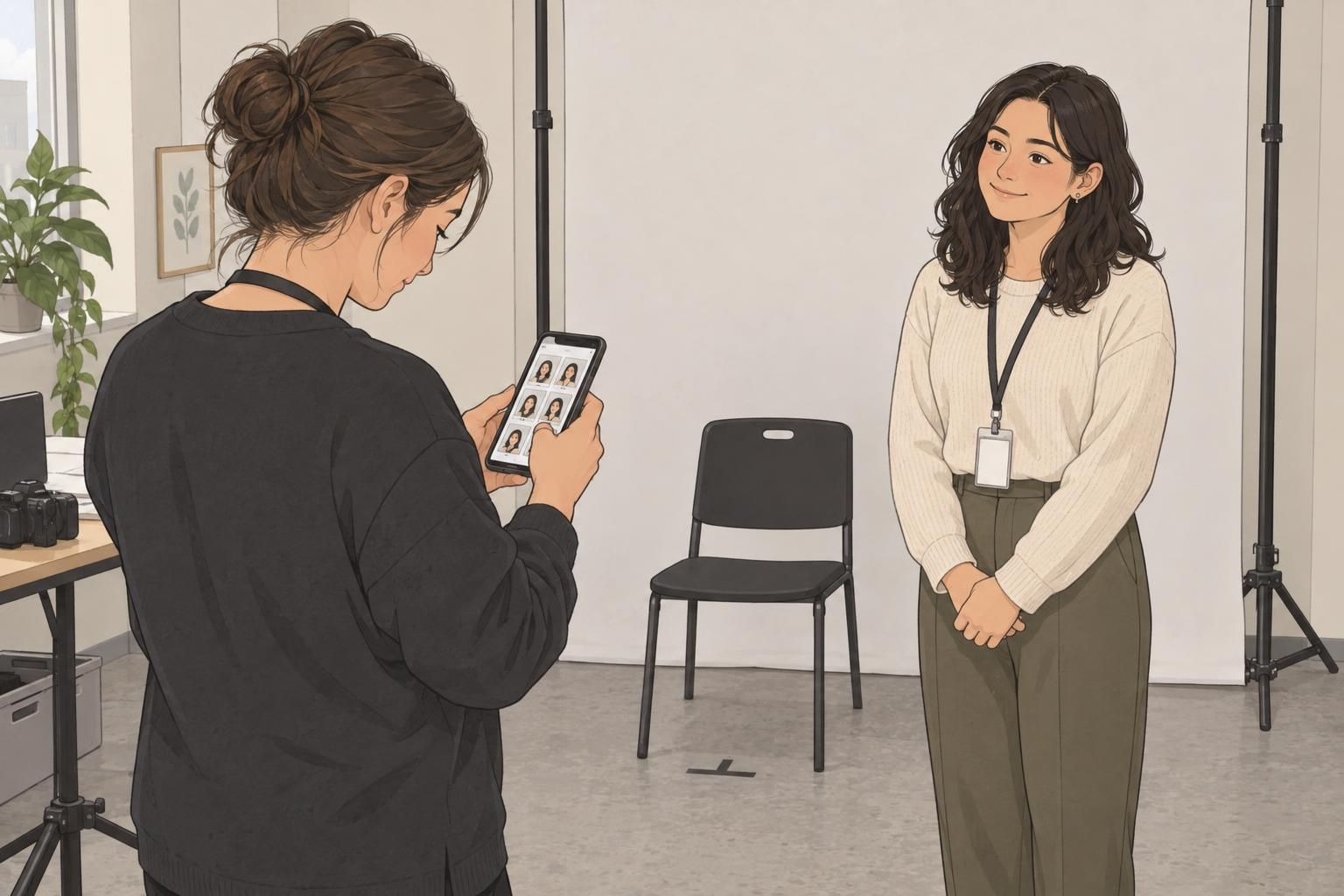
Review, crop, and prepare photos for employee ID badges
Choose the image with the clearest, unobstructed view of the employee’s face. A relaxed expression is helpful, but do not select a blurry image simply because you prefer the expression. Compare the available shots for sharpness, even lighting, and complete framing before deciding which one to prepare.
Crop each photo consistently while preserving the full head and shoulders. Use existing, correctly prepared badge portraits as a visual reference for the amount of space around the person. The aim is to avoid a set in which one face fills nearly the entire photo while another appears much smaller.
Before saving the final file, check the image requirements of your badge system. Use its accepted file format, such as JPG or PNG, and follow the requirements it provides rather than assuming every system accepts the same image. Review the prepared crop once more to make sure the face remains clear and nothing important was removed.
A consistent photo process includes both capture and preparation. Repeating the same camera setup helps, but matching the final crops is what keeps new employee ID photos visually aligned with existing ones.
Fix common photo problems
When a test photo looks wrong, change one part of the setup and review another shot. This makes it easier to identify what helped. Correcting the setup also gives you a repeatable solution for future hires, rather than leaving the same problem to appear in every new portrait.
- Blur: Stabilize the phone on a tripod or secure surface and use a timer so pressing the shutter does not disturb the camera. Retake the image and check facial detail.
- Harsh facial shadows: Move the light toward the front of the subject, near the camera, instead of relying on overhead-only illumination.
- A strong shadow on the background: Move the subject farther from the wall and check the light’s position before retaking the photo.
- Green or yellow skin tones: Try daylight or move away from fluorescent lighting, then take another photo and review the result.
- Uneven framing: Return to the marked positions, adjust the camera to eye level, and leave room around the full head and shoulders.

Better badge portraits come from a few dependable habits: a plain background, soft front lighting, a steady eye-level camera, and an immediate review. Apply these badge photo tips consistently, and each new-hire session becomes easier to repeat while producing clear, recognizable photos for workplace identification.